
Virtual Staging AI for Real Estate: 6 Practical Uses

A vacant room can make even a great property look less appealing. Without furniture or decoration, many buyers struggle to understand the size of the space or imagine themselves living there.
The same problem happens with older homes and properties that are still under development. A dated kitchen, empty living room, or unfinished interior can make it harder for buyers to see the potential behind the property.
This is where virtual staging AI becomes useful. Instead of physically renting furniture or spending days preparing a property for photos, real estate agents can create realistic interior designs in minutes. They can show different styles, highlight renovation possibilities, and present a property in a way that helps buyers visualize its future.
In this article, we’ll look at 6 practical ways real estate professionals use virtual staging AI to create better listings and improve property marketing.
Turn Empty Rooms Into More Attractive Property Listings
Empty rooms are often difficult to sell because buyers cannot easily imagine how the space could look after moving in. A blank living room or bedroom may hide the actual potential of a property.
Virtual staging AI helps real estate agents add furniture and decor to existing photos, making empty spaces feel more complete and easier to visualize.
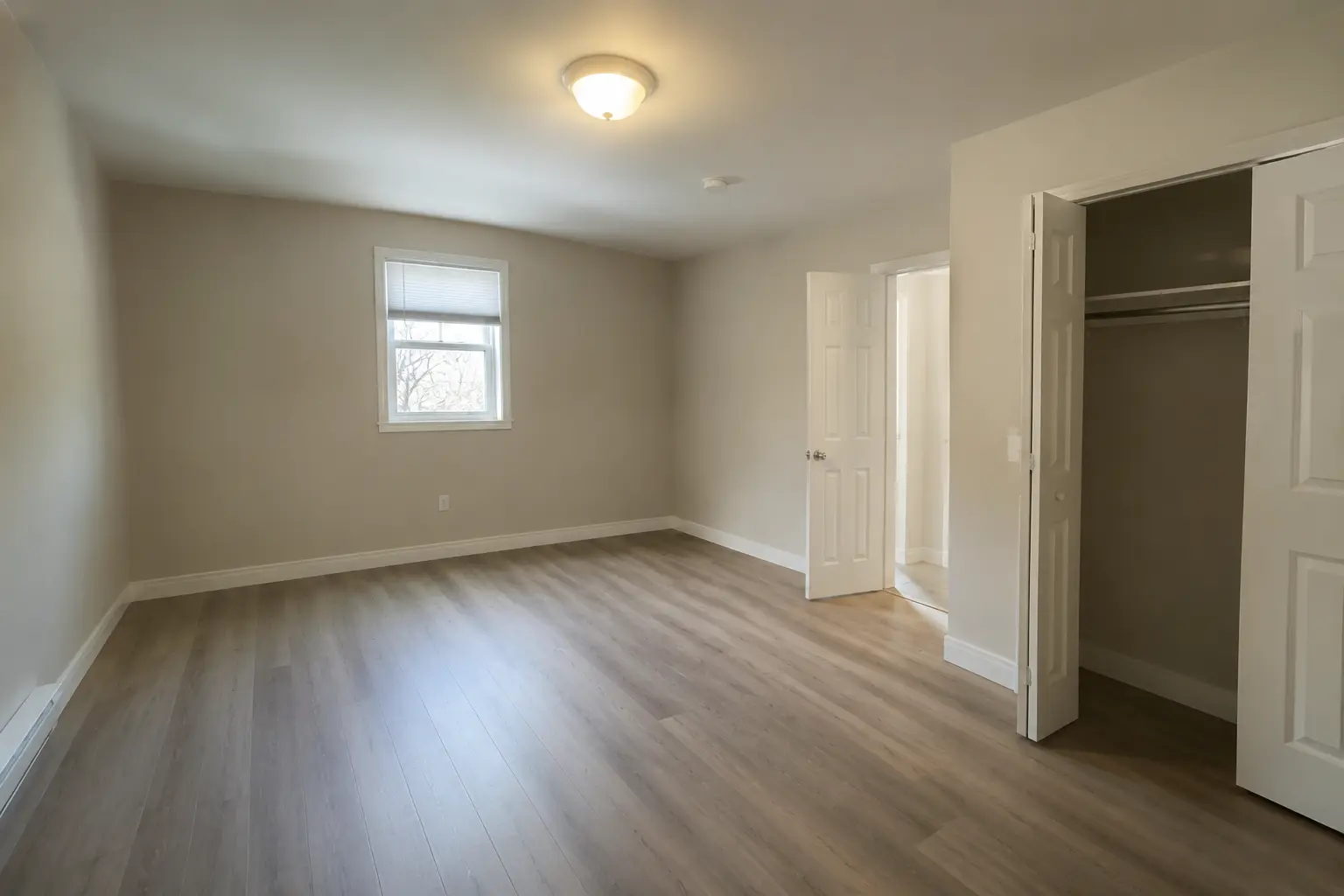
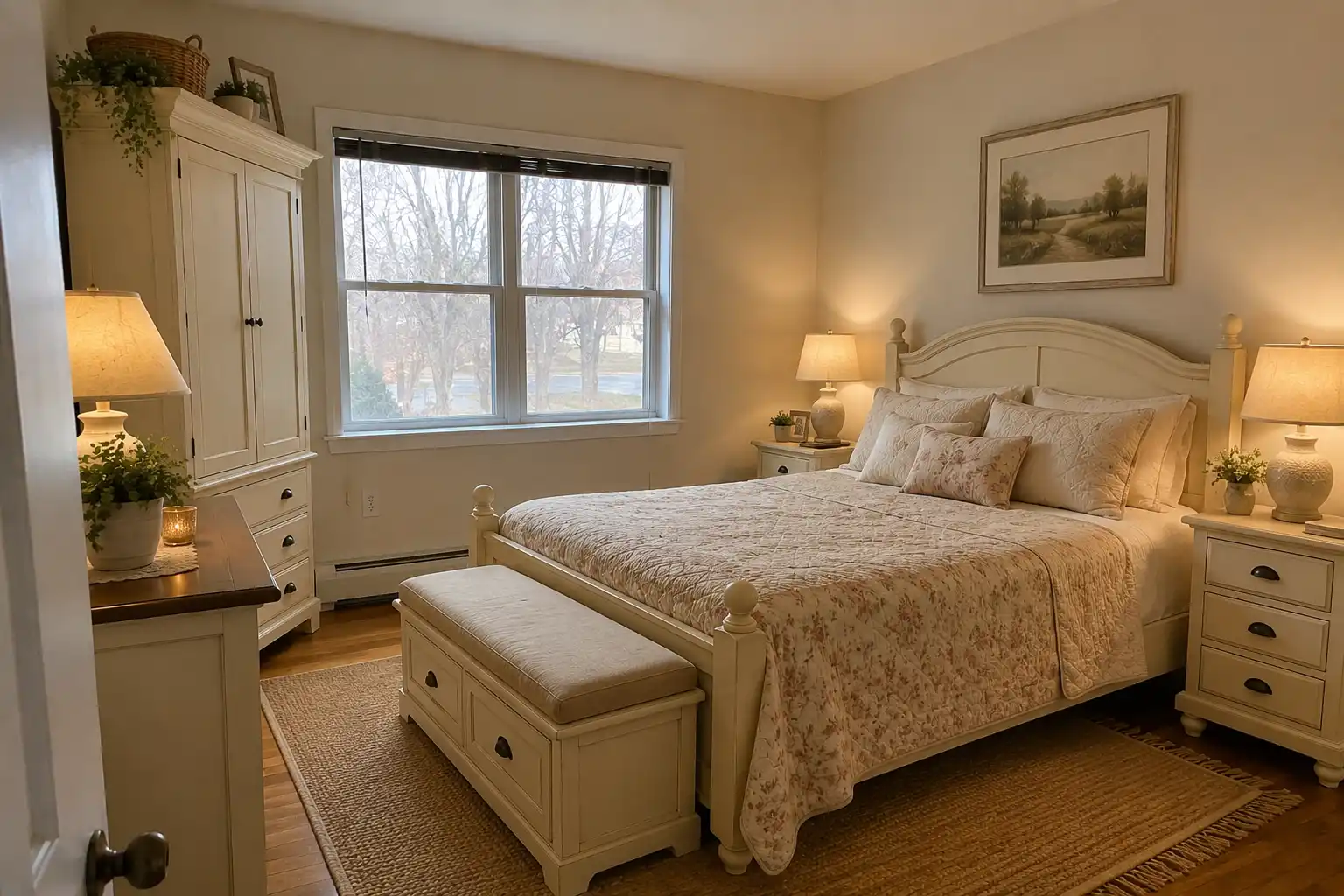
It can help create:
For vacant properties, AI virtual staging provides a faster and more affordable way to prepare attractive listing images.
Showcase Different Interior Styles to Match Buyer Preferences
Interior design trends change quickly, and different buyers are often attracted to different aesthetics. A property that feels too plain may fail to connect with buyers who are looking for a specific lifestyle.
With AI virtual staging, real estate agents can experiment with different design directions for the same room and create listing images that appeal to different audiences.
Popular styles that can be visualized include:
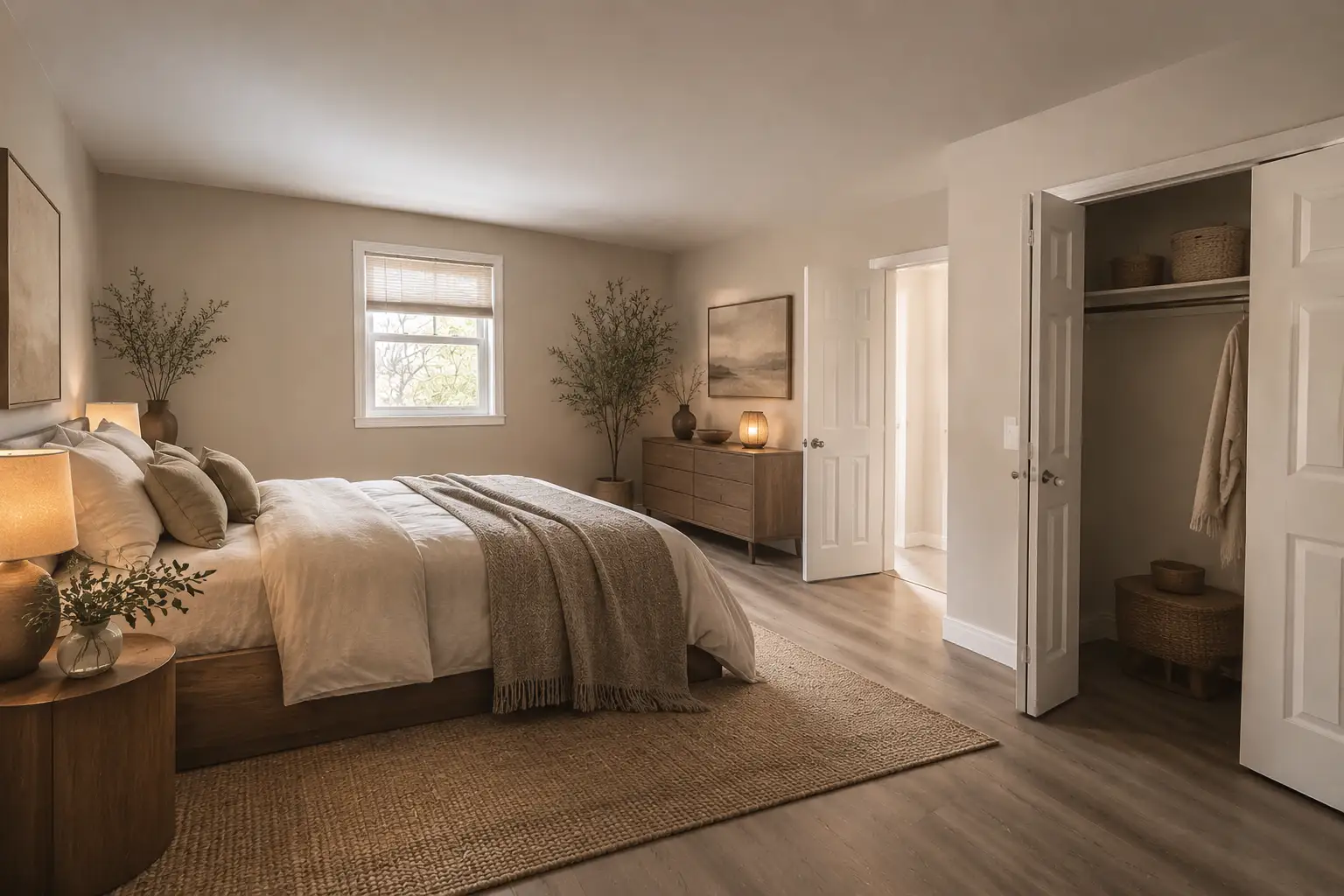
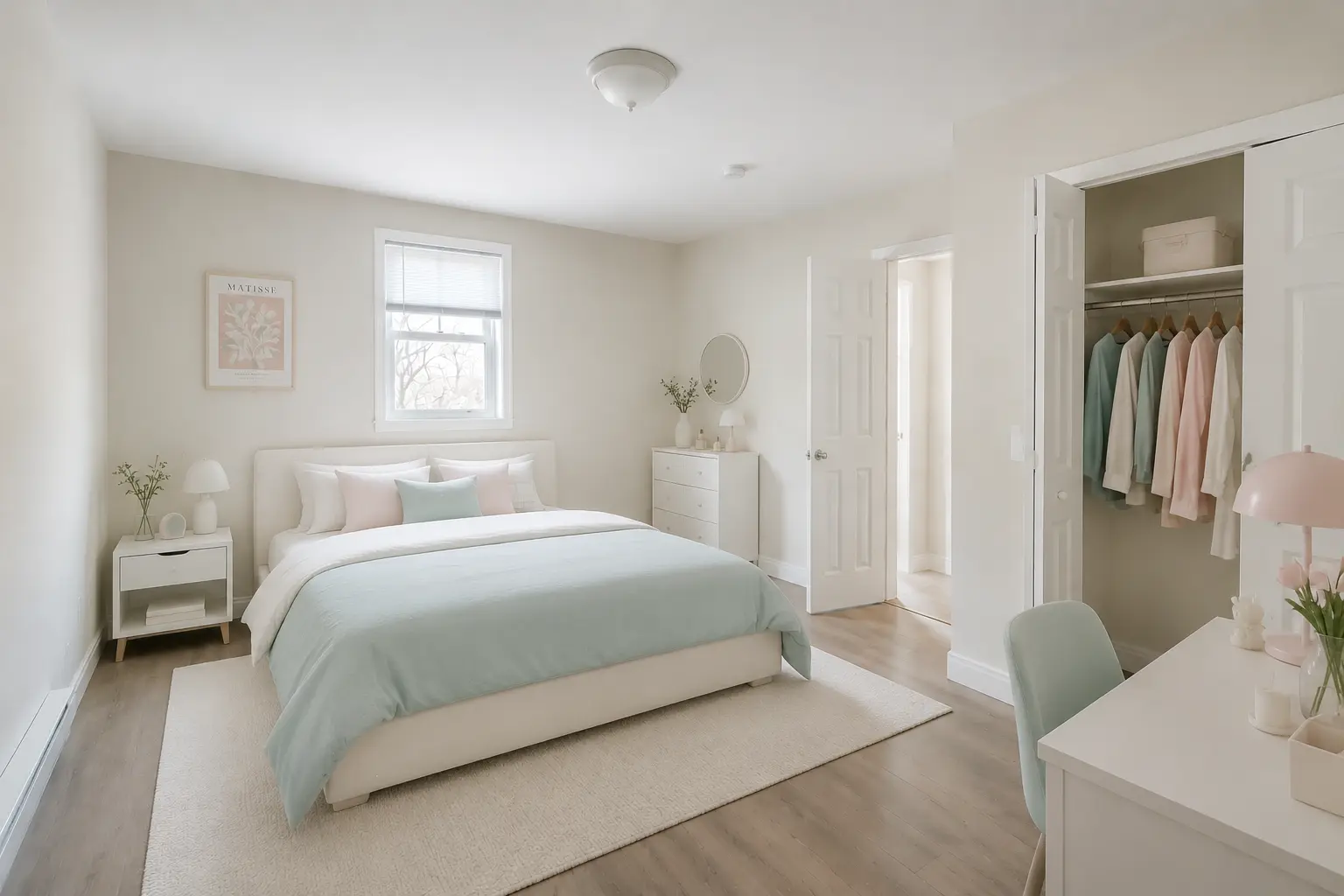
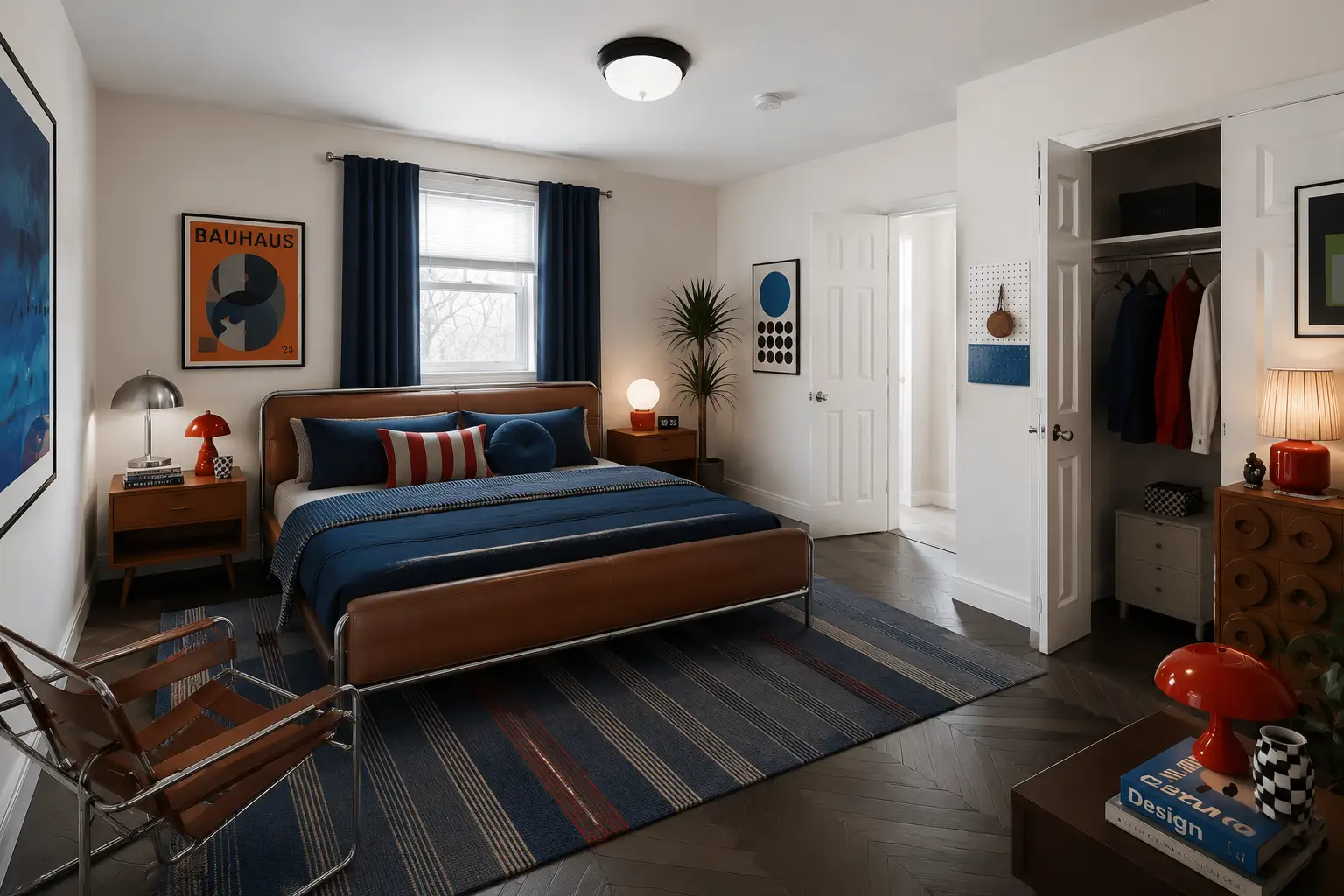
By showing multiple design possibilities, agents can help buyers see how the same property can fit different tastes and lifestyles.
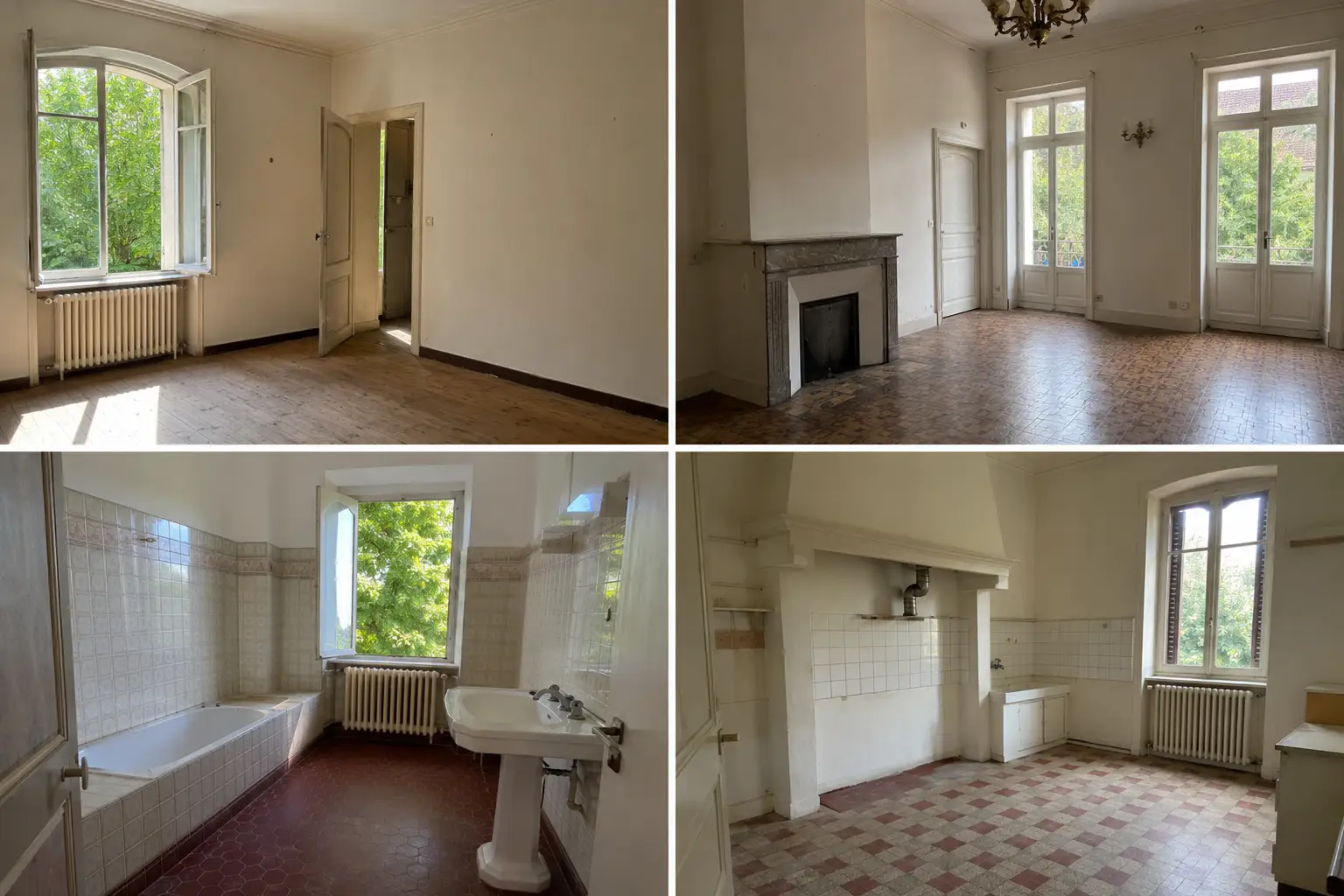
Refresh Outdated Interiors Without Changing the Original Property
Not every property starts with an empty room. Many homes already have old furniture, outdated decorations, or styles that may not match today’s buyers’ preferences. These elements can distract buyers from seeing the actual potential of the space.
With a free AI virtual staging tool, agents can remove existing furniture from a property photo and replace it with a more suitable interior design. Instead of being limited by the current decoration, they can show how the same room could look with a fresh and updated style.
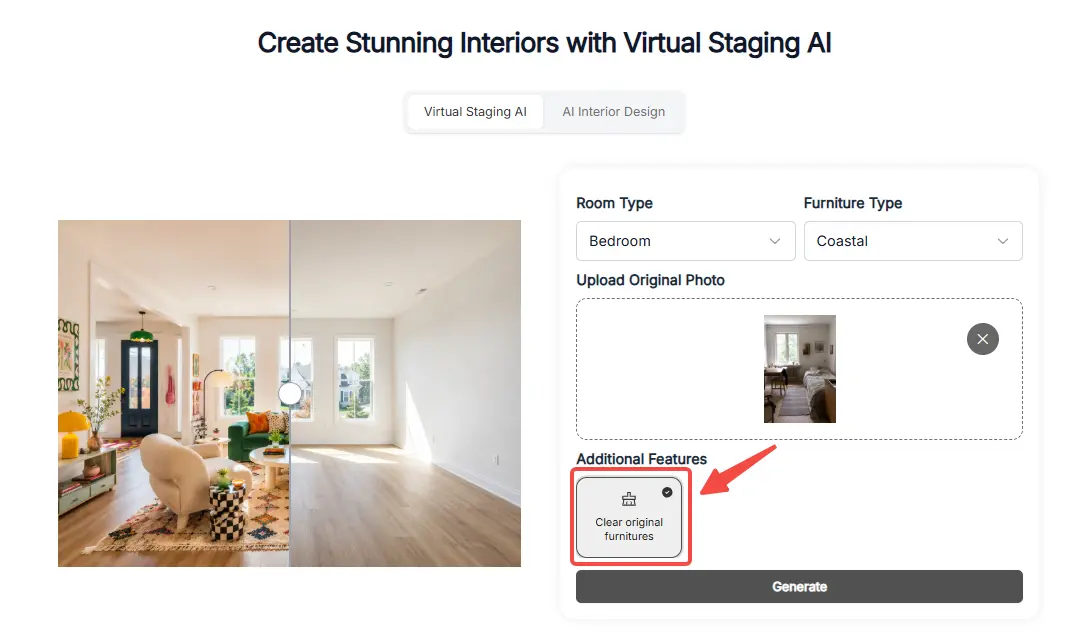
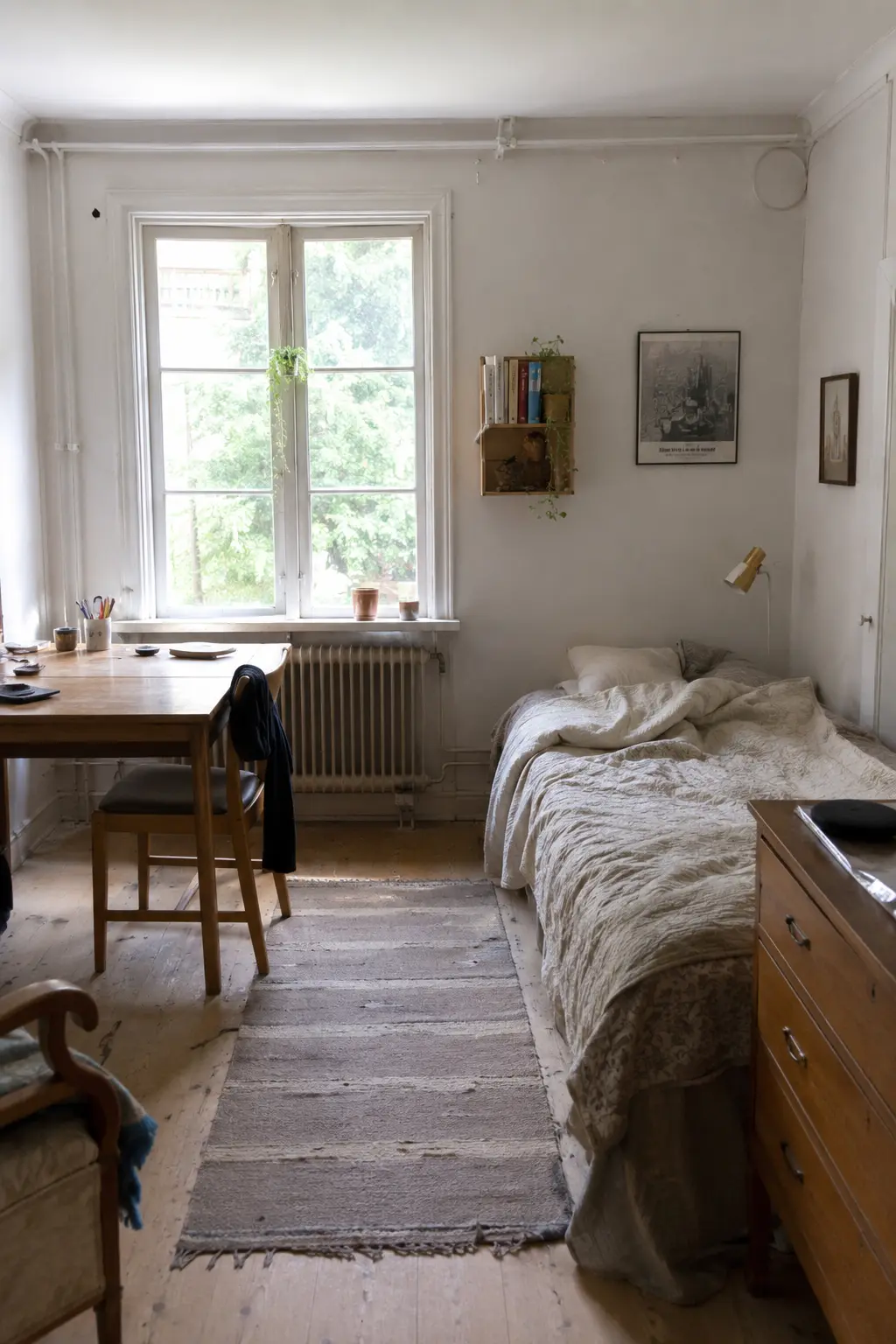
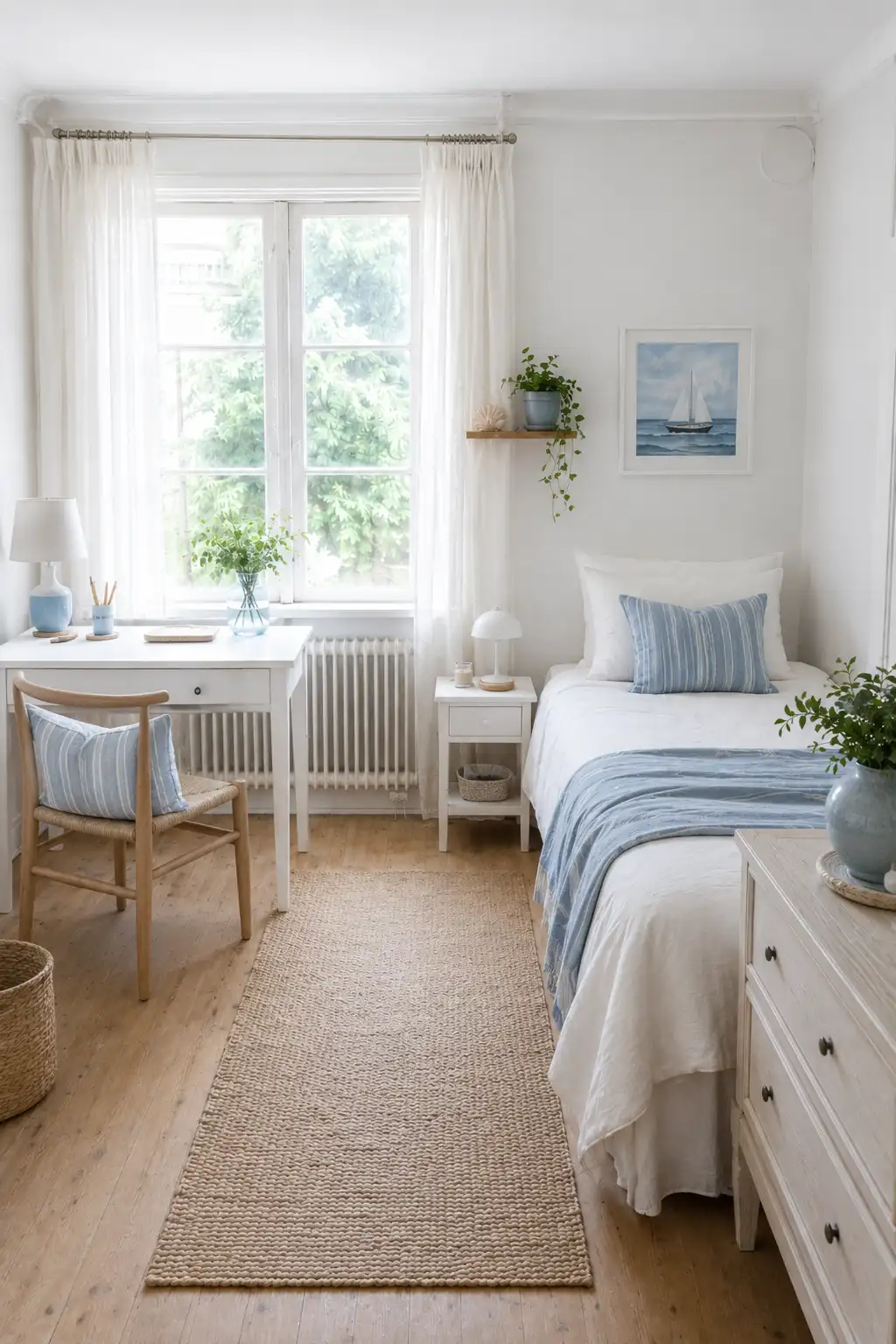
For example, an old living room with bulky furniture can be transformed into a cleaner modern space, while a dated bedroom can be redesigned with a more contemporary layout and furniture selection.
This makes it easier for buyers to focus on the possibilities of the property rather than the limitations of its current condition.
Create More Listing Content Without Extra Preparation
Real estate marketing often requires more than just one property photo. Agents may need different images for listing websites, social media, presentations, and buyer communication.
With traditional staging, creating these visuals usually means preparing the space again and scheduling another photoshoot. AI virtual staging makes this process much simpler by allowing agents to create different versions of a property image from the same original photo.
A single room photo can become:
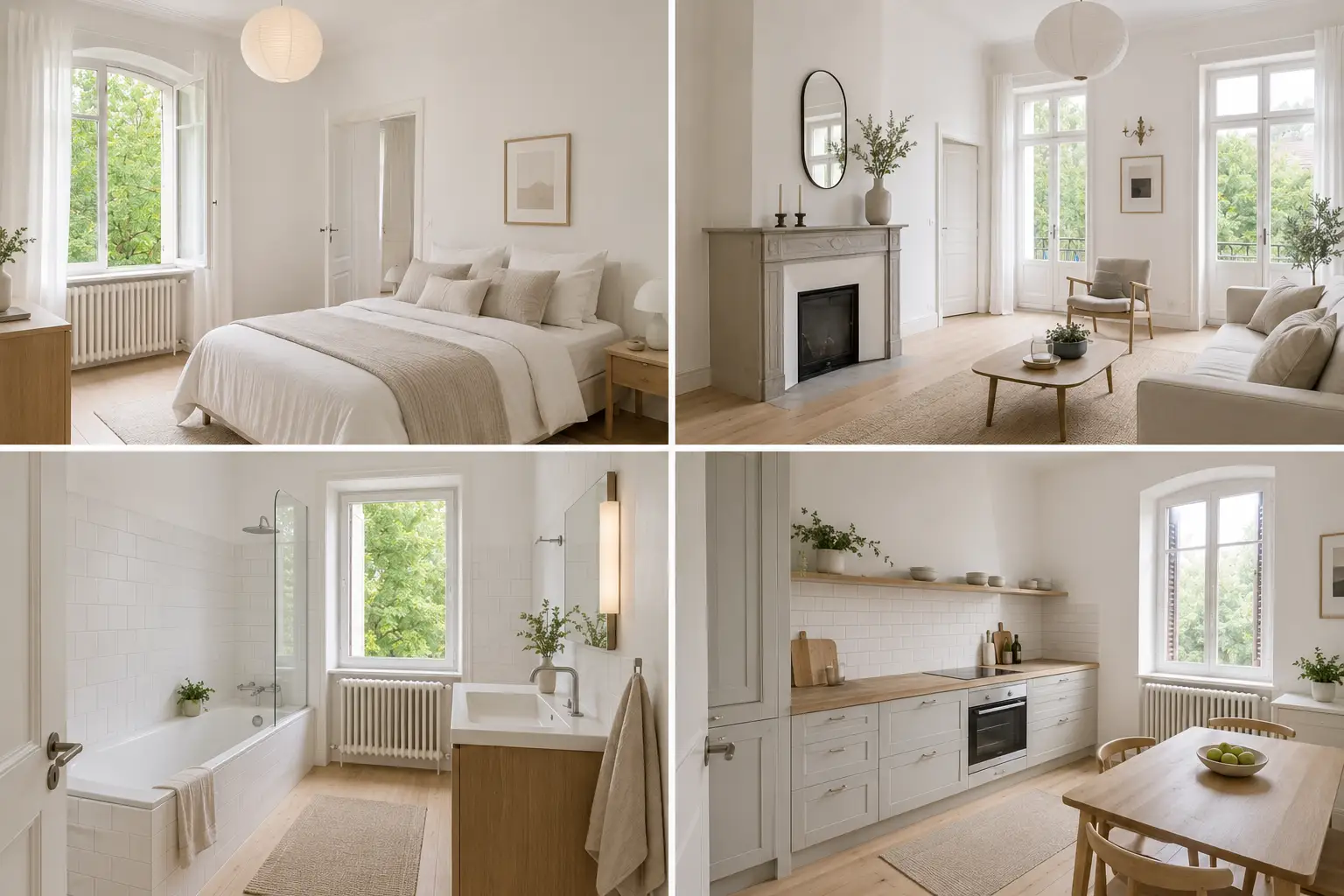
For busy agents, this means less time spent preparing marketing materials and more flexibility when promoting properties.
Help Buyers Visualize Different Room Functions
Not every buyer sees a space in the same way. A small empty room may look unnecessary to one person, but another buyer might see it as a home office, a guest bedroom, or a children's room.
Virtual staging AI helps real estate agents show different possibilities for the same space. Instead of leaving buyers to imagine how a room could be used, agents can create visuals that demonstrate its potential.
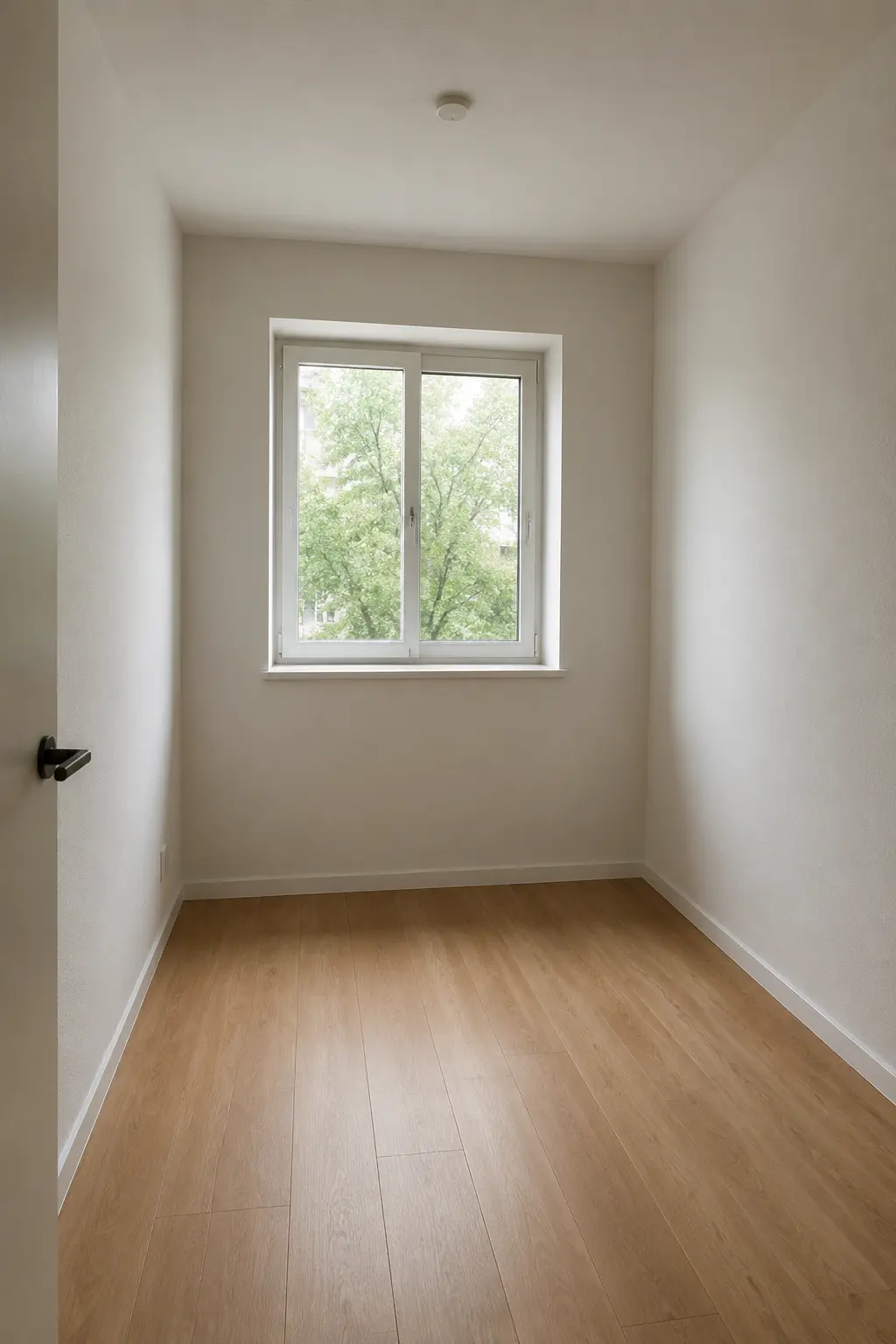
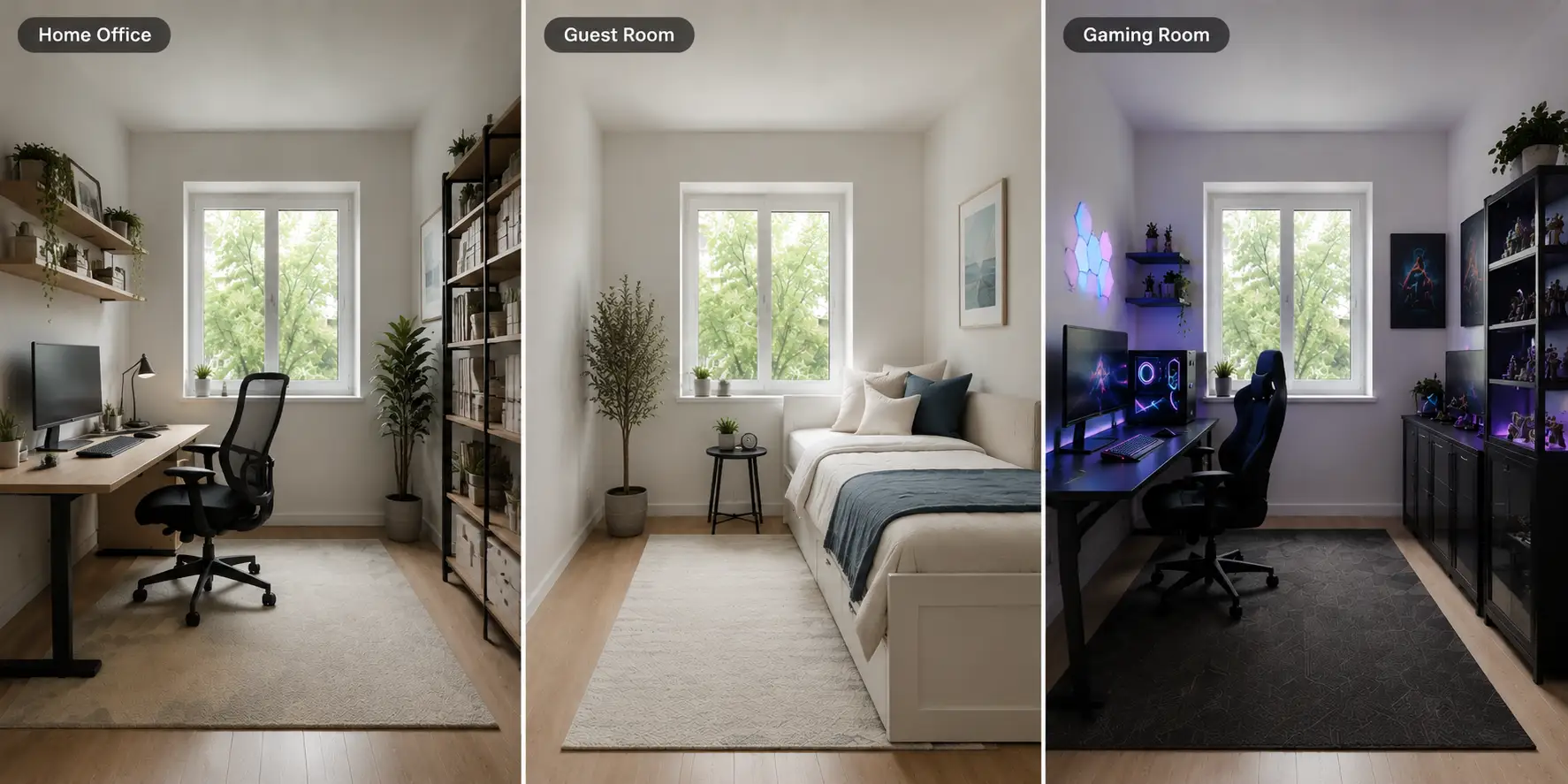
For example, a spare room can be presented as:
By showing different room functions, agents can help buyers better understand the value of every part of a property and connect the space with their own lifestyle.
Preview Renovation Ideas Before Making Changes
Renovating a property often involves many decisions. Changing the flooring, wall colors, kitchen style, or furniture layout can require significant time and money, but it is not always easy to know what the final result will look like.
Virtual staging AI allows homeowners, agents, and designers to test different renovation ideas before making actual changes. By visualizing different materials, layouts, and interior styles, they can compare options and find a direction that better fits the property.
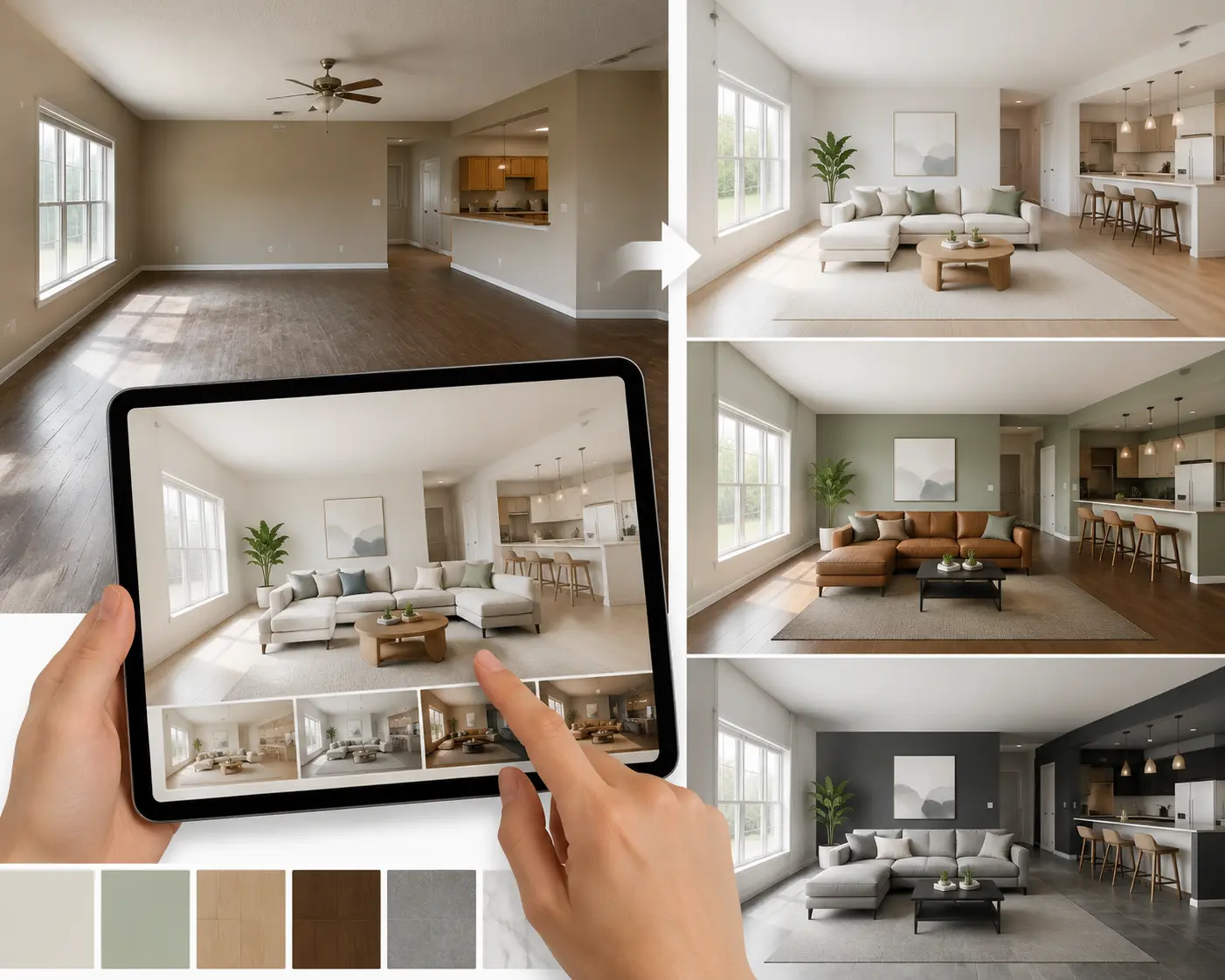
For example, a room can be previewed with:
This makes renovation planning more visual and helps people make better decisions before investing in real changes.
Making Property Marketing More Flexible With Virtual Staging AI
Virtual staging AI gives real estate professionals more ways to present a property beyond a standard listing photo. Whether it is an empty room, an outdated interior, or a space with unclear potential, AI-generated visuals help buyers better understand what the property could become.
One of the biggest advantages is the ability to adapt visuals for different marketing needs. Agents can test different designs, create targeted listing images, and showcase more possibilities without the time and cost of physical staging.
As buyers increasingly rely on online listings to form their first impressions, virtual staging AI helps real estate professionals create clearer and more engaging property marketing materials.
Making Property Marketing More Flexible With Virtual Staging AI
Create realistic staged interiors from your property photos and explore different design possibilities in just a few clicks.
Try Virtual Staging AI Free OnlineCommon Questions
1. Is AI virtual staging realistic enough for real estate listings?
It can be, especially when the original photo is clear and the room structure is easy to understand. Modern AI virtual staging tools can create realistic furniture placement, lighting, and interior styles that work well for property marketing.
That said, virtual staging is meant to show possibilities, not change the actual property. The final image should still accurately represent the space.
2. Can I use virtual staging AI for rental properties?
Yes. It can be especially useful for vacant rentals where empty rooms may feel cold or difficult to imagine. Adding furniture and a suitable interior style can help potential tenants understand the size, layout, and possible use of the space before scheduling a visit.
3. Does virtual staging AI work with any room photo?
Most interior photos can be used, including bedrooms, living rooms, kitchens, and offices. However, the input image matters. Photos with good lighting, a clear view of the room, and fewer visual distractions usually produce better results. A simple smartphone photo can work, but a cleaner image often gives AI more information to work with.
4. Can buyers tell the difference between AI virtual staging and real furniture?
Sometimes they can, especially when the generated image looks unrealistic or does not match the original space. High-quality AI virtual staging, however, can create visuals that look very close to professionally staged photos. For real estate listings, it is always better to clearly mention when images have been digitally staged to avoid confusion.
5. How long does it take to create a virtual staging image?
Most AI virtual staging tools can generate a staged image within a minute. For example, AI Floor Plan Maker typically processes a single image in around 30 seconds, depending on the image complexity and server conditions. If the first result is not exactly what you want, you can adjust the settings or try different styles to create a better match for your property.