
How to Create a Garden Design from a Photo Using AI
A garden makeover often starts with a simple question: “What could this space become?” However, it can be difficult to picture the final result when you are only looking at your current yard or an empty outdoor area.
Many homeowners now use AI garden design tools to explore these possibilities more easily. By uploading a photo of their existing garden, they can explore different layouts, planting ideas, and outdoor styles before making real changes.
Whether you want to create a modern backyard, a relaxing Japanese garden, or a low-maintenance outdoor space, AI can help you visualize new design possibilities and find ideas that fit your space. Before exploring different styles and ideas, it is worth understanding why a garden photo can be such a useful starting point for AI design.
Why Start Garden Design with a Photo?
A beautiful garden idea does not always look the same in every space. A design that works well in a large backyard may feel crowded in a smaller one, and a style you like online may not fit your existing layout.
Starting with a photo helps you design around your real space instead of imagining a completely different garden. It gives you a better idea of what changes could actually work before you start removing plants, buying materials, or making bigger decisions.
1. Your Existing Space Already Has Important Details
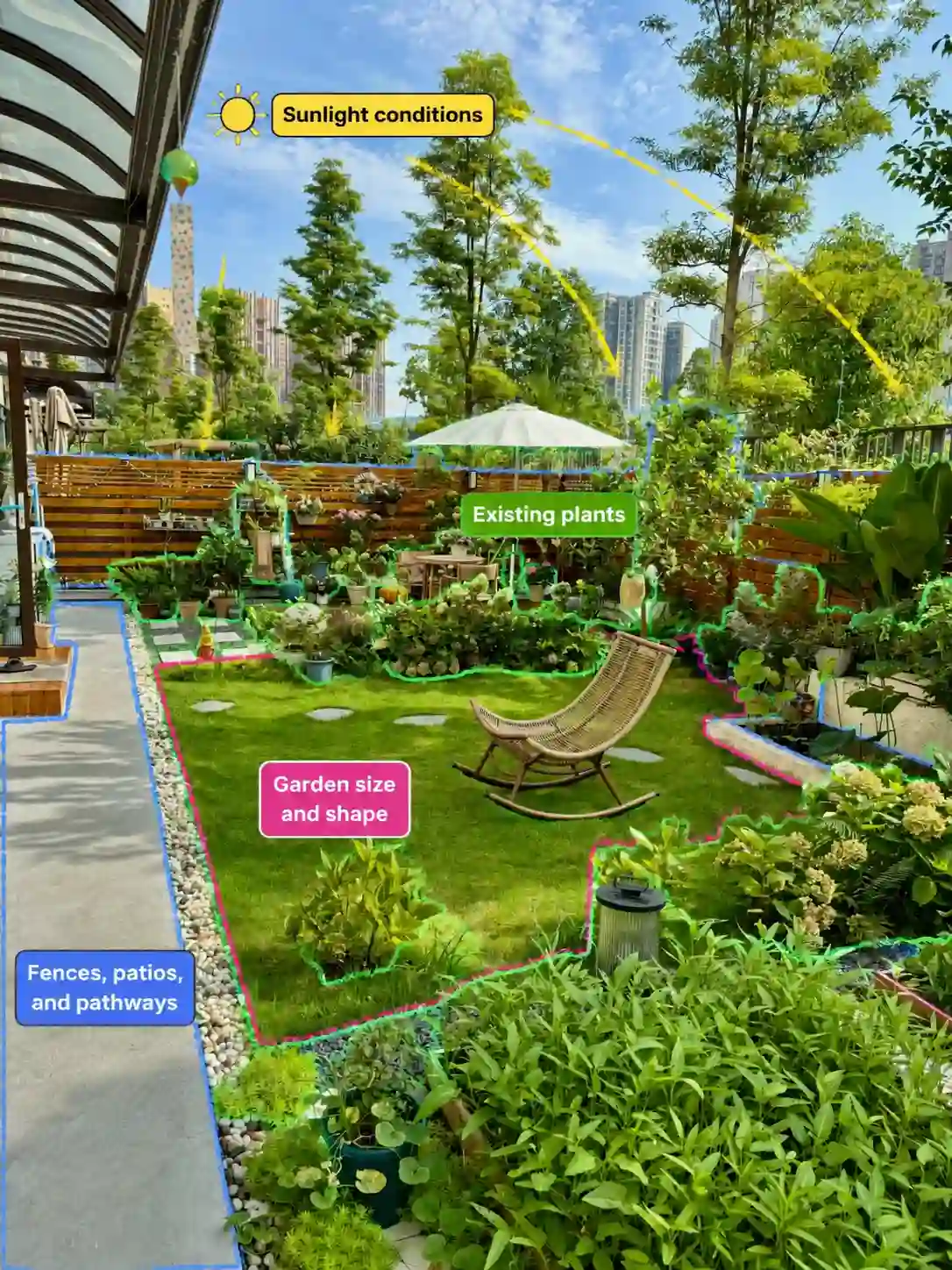
Every garden has its own characteristics. The size of the space, existing greenery, sunlight, and structures all influence what kind of design will work.
A garden photo helps capture important details, including:
2. See Ideas Before Turning Them Into Real Changes
Many garden projects start with inspiration from somewhere else — a magazine, Pinterest, or a neighbor’s yard. The challenge is figuring out whether those ideas will actually work in your own space.
Visualizing different layouts and styles first makes it easier to compare options and avoid changes you may regret later.
3. A Simple Starting Point for DIY Garden Planning
You do not need a complete garden plan to start improving your outdoor space. A photo gives you a practical starting point and helps you understand what changes may work for your garden. Once you have a clear picture of your space, you can start thinking about different styles, layouts, and features that could fit.
What Can AI Change in Your Garden Photo?
A simple backyard can look completely different with a few design changes. AI can help you see how your outdoor space could be used and styled in new ways.
Some common garden transformations include:
seating, plants, and lighting to create a relaxing spot for reading, coffee, or evening breaks.
Add pathways, layered planting, and different zones to make the area feel more complete.
Try styles like Japanese, modern, or Mediterranean gardens to see which look fits your home.
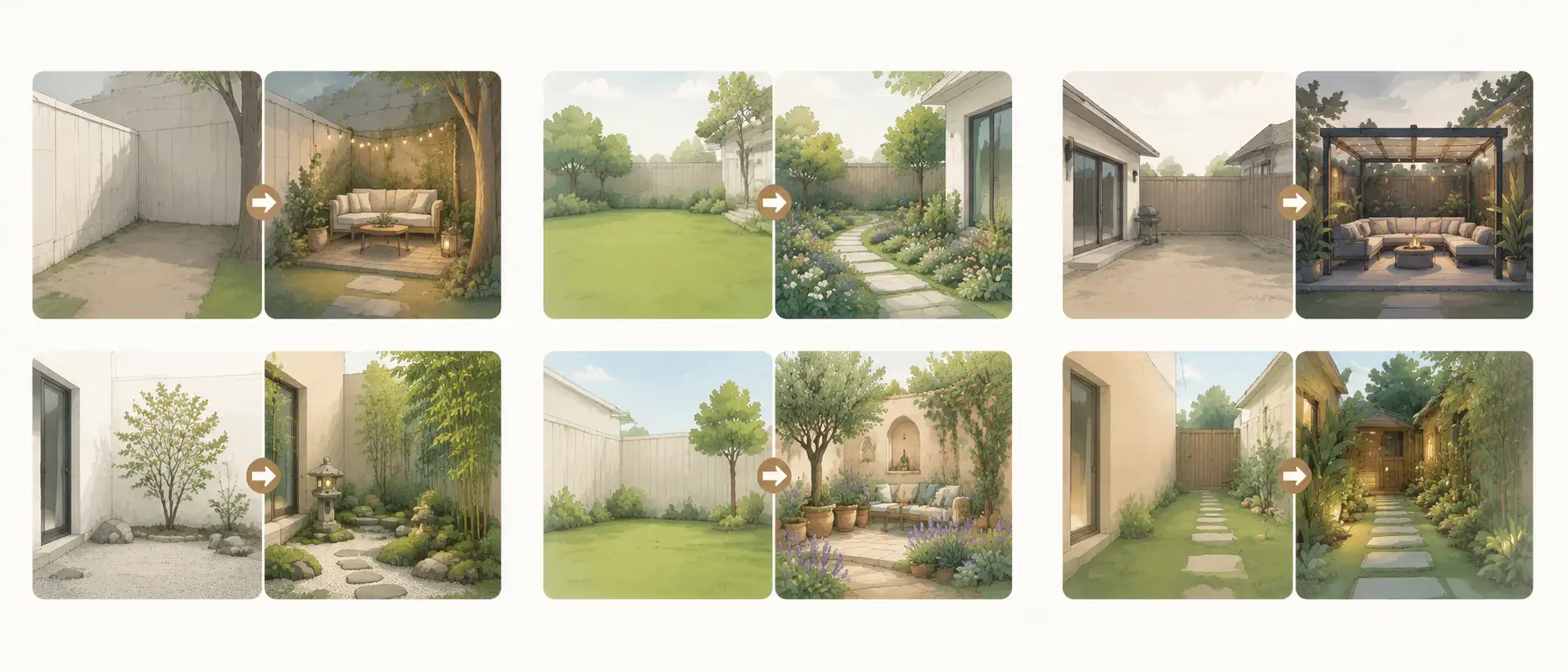
The best part is that you do not need to imagine these changes only in your mind. With AI, you can turn your garden photo into a visual design and see how different ideas come together.
How to Design Your Garden with AI from a Photo
An AI garden design generator can turn a single garden photo into multiple design ideas in just a few minutes. The quality of the results, however, depends just as much on the photo and your instructions as it does on the AI itself. Here are a few simple tips to help you get better designs.
1. Start with a Clear Photo
Choose a photo that shows as much of your garden as possible. Existing plants, fences, patios, and walkways all provide useful context for generating a design that fits your space. Photos taken in natural daylight also tend to produce better results.
2. Tell AI What You Want to Keep and What You Want to Change
The best results usually come from being specific. Think about your garden the same way you would explain it to a landscape designer. Tell AI what should stay, what should change, and what you'd like to add.
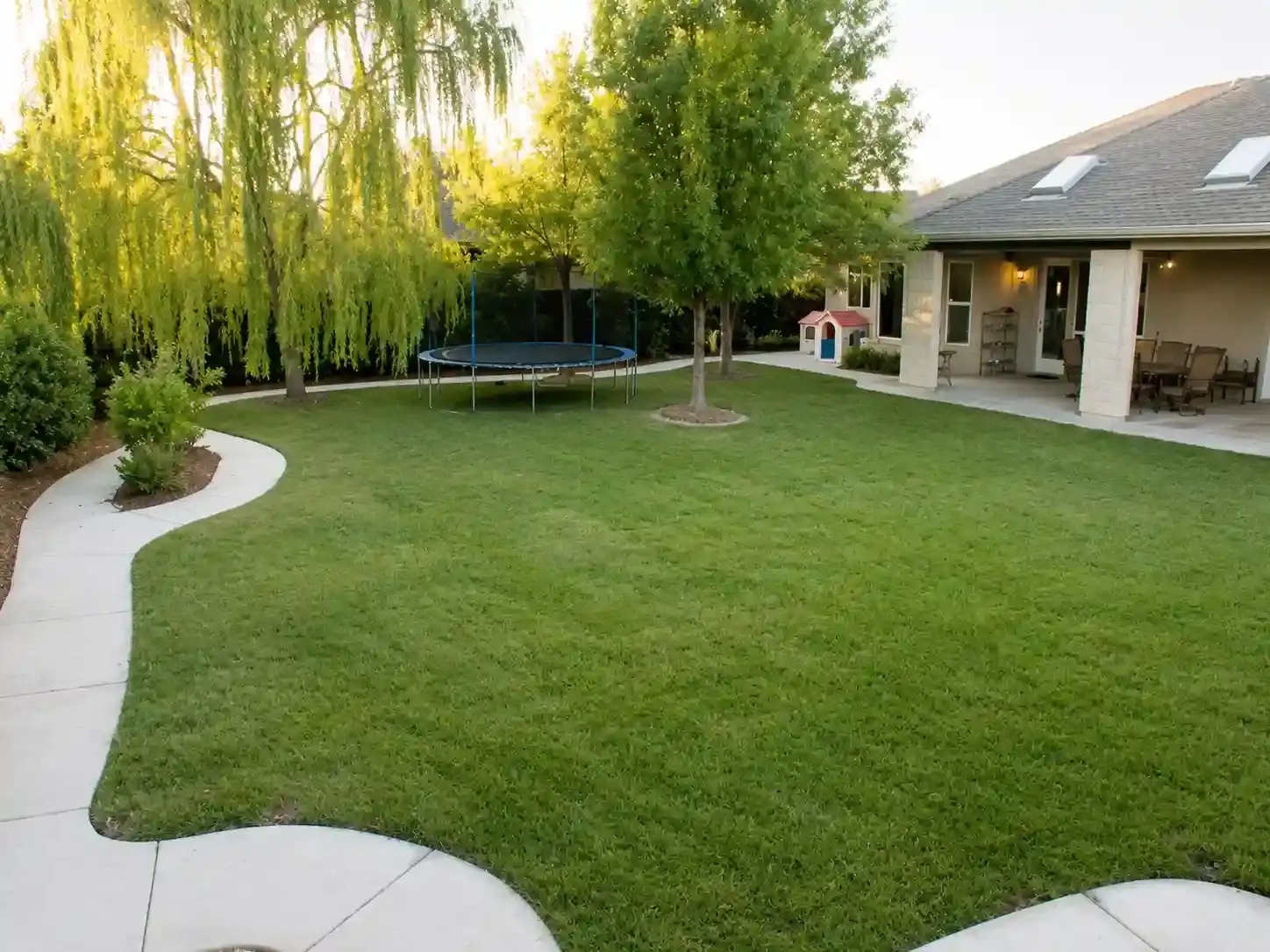
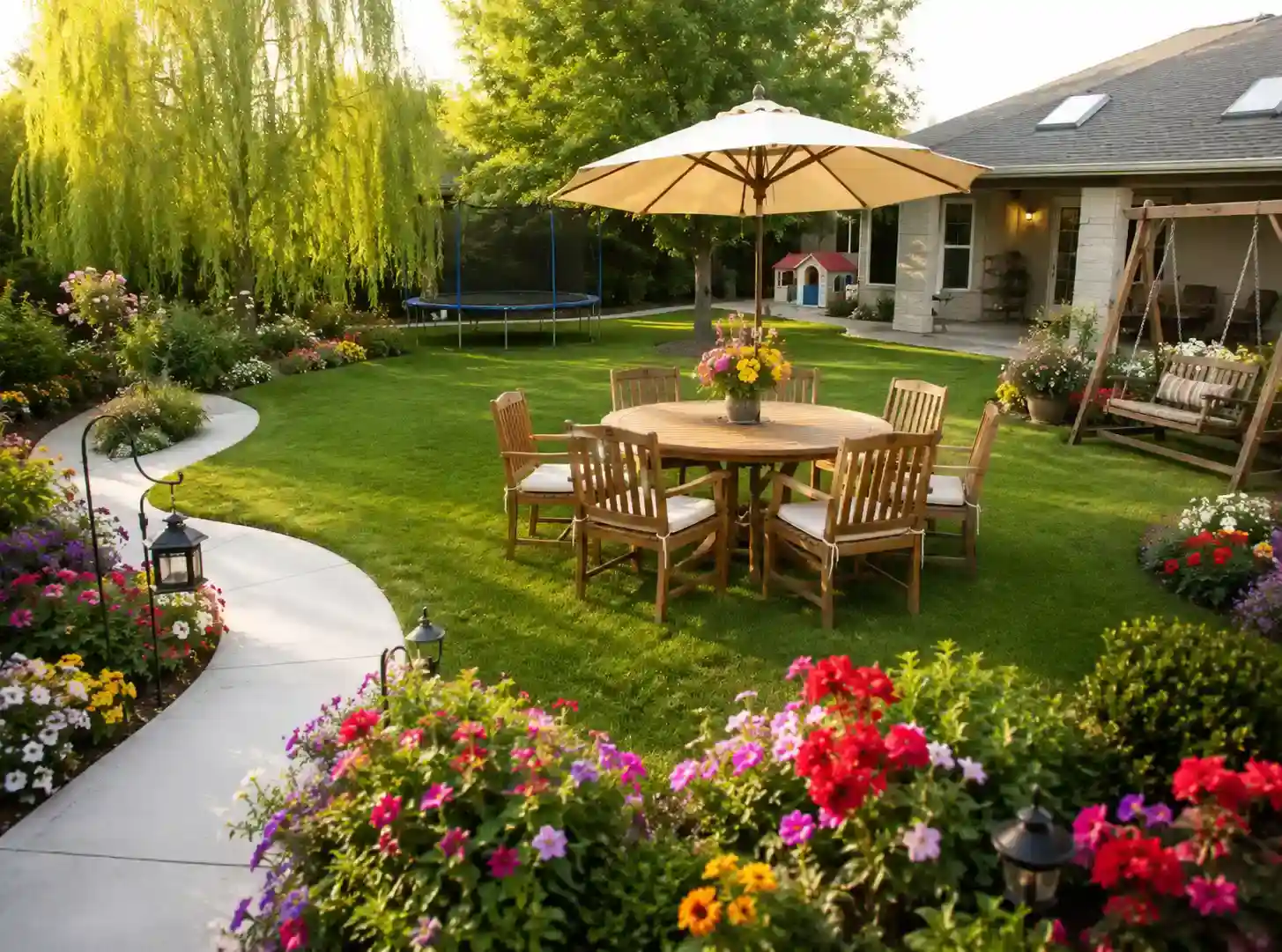
For example, a prompt for the garden below could look like this:
Keep the existing trees, curved walkway, and lawn. Add colorful flower beds along the path, a wooden outdoor dining set with a large umbrella, a garden swing on the right side, warm pathway lighting, and more layered planting to create a cozy family-friendly backyard.
3. Compare Different Design Styles
One photo can produce completely different results depending on the style you choose. Try a few different directions before deciding which one feels right.
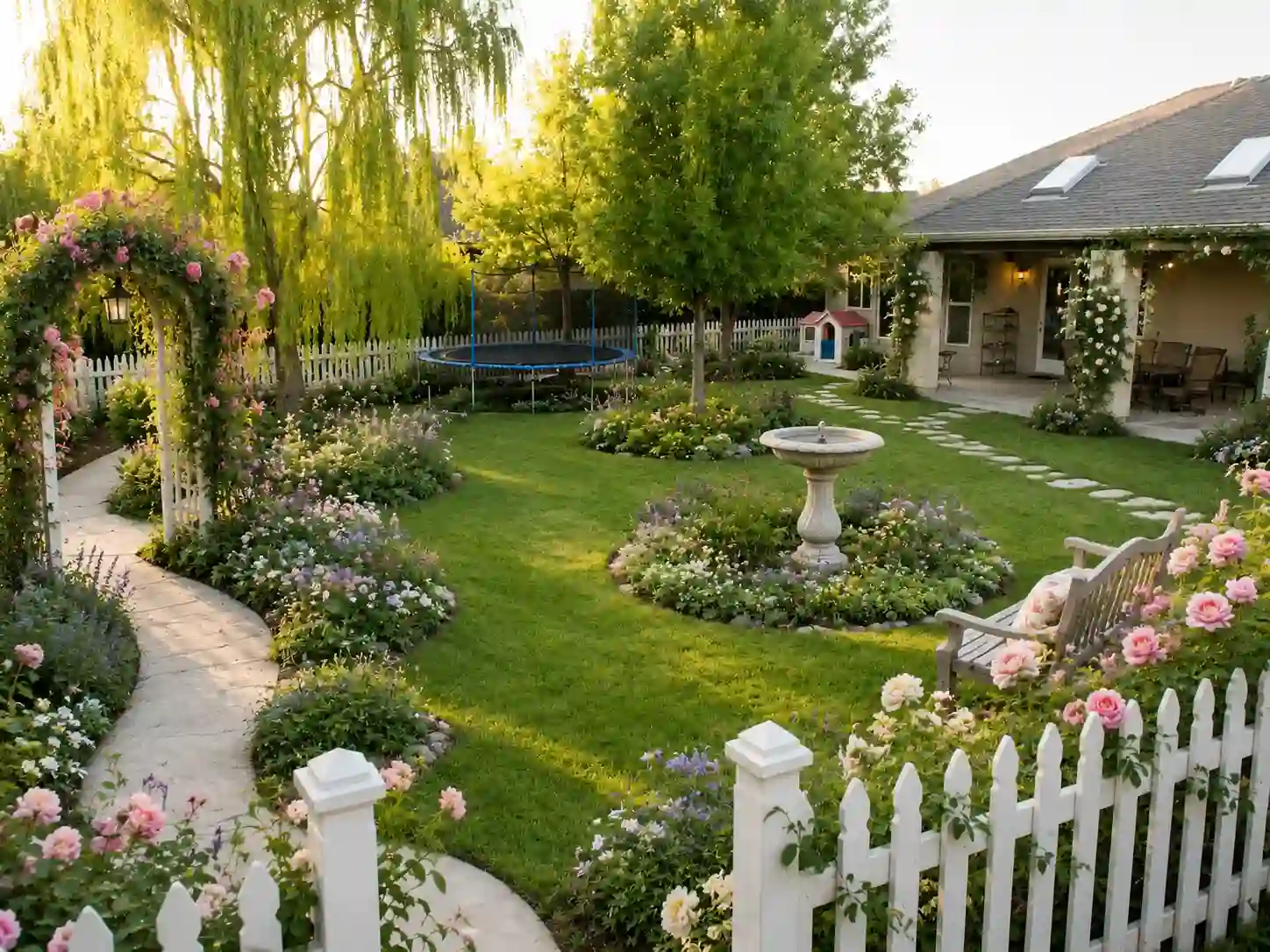
Prompt 1 – Cottage Garden
Redesign this backyard into a charming cottage garden. Keep the existing trees and lawn, add curved flower beds filled with colorful perennials, climbing roses, a white picket fence, a stone birdbath, and a small wooden bench to create a relaxed, storybook atmosphere.
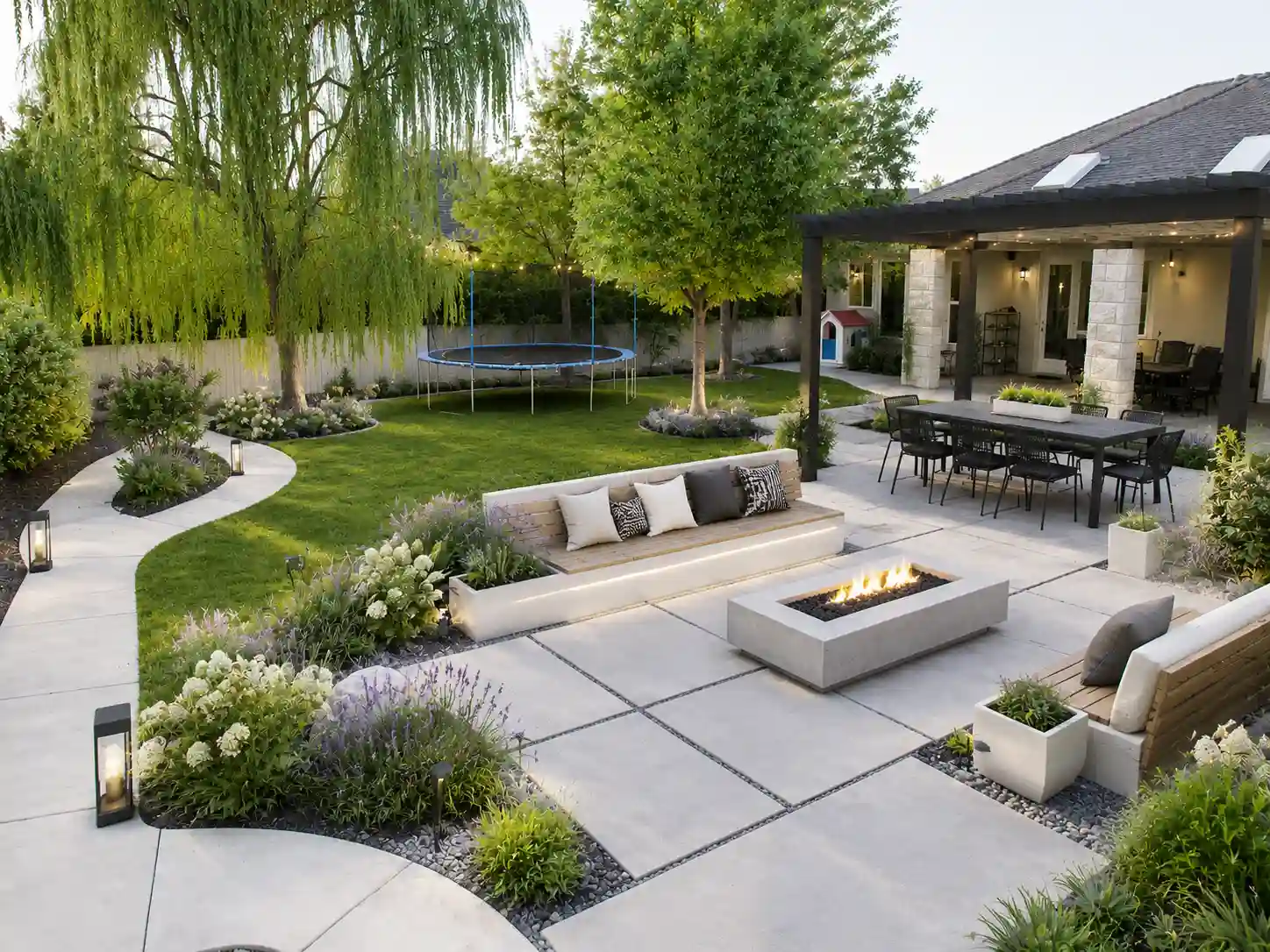
Prompt 2 – Contemporary Outdoor Living Space
Transform this backyard into a contemporary outdoor living area. Keep the existing trees, replace part of the lawn with a large patio, add a fire pit, built-in bench seating, minimalist planting, modern outdoor lighting, and a pergola for shade.
4. Refine Your Prompt Based on the Results
If the first design isn't quite right, don't start over. Instead, tell AI exactly what you'd like to change.
For example:
Add more colorful flowers along the walkway.
Replace the patio with a wooden deck.
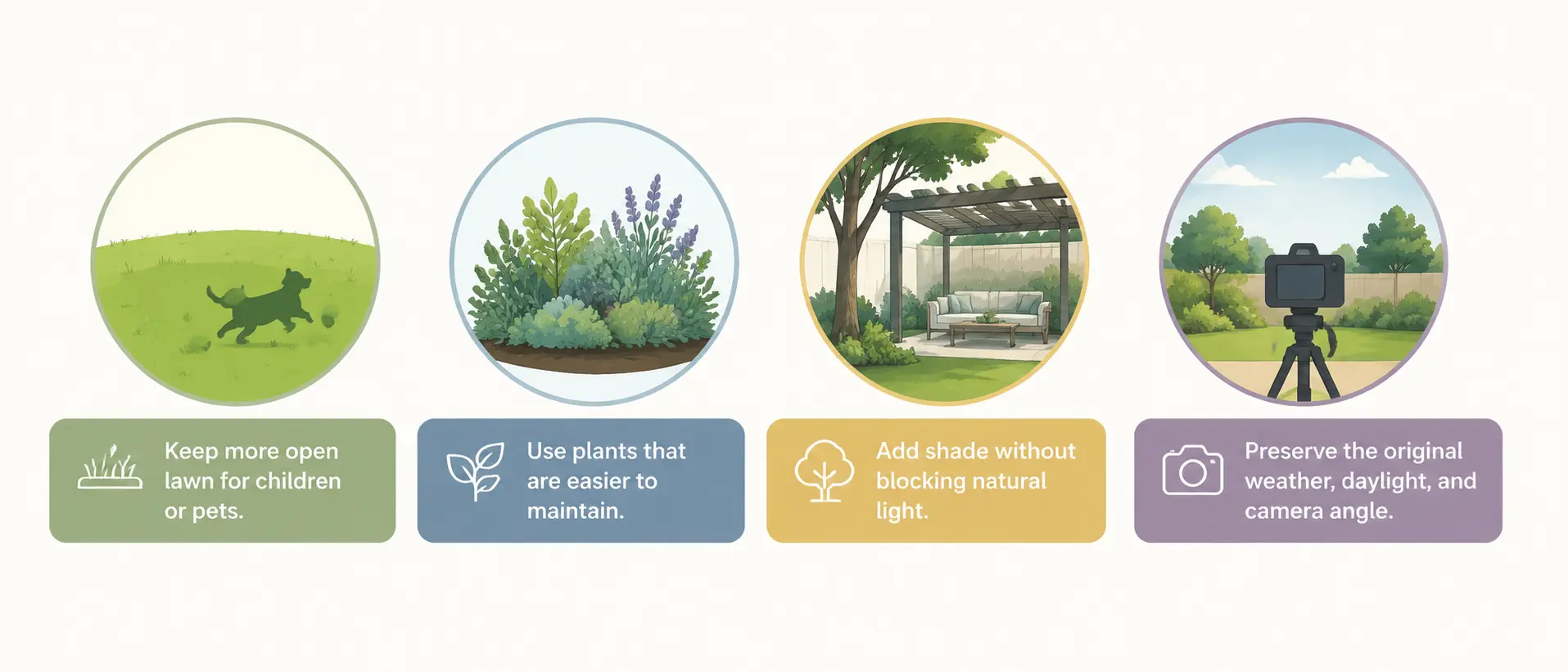
Keep more open lawn for children to play.
Use fewer plants to make the garden easier to maintain.
Small adjustments often produce much better results than writing a completely new prompt.
4 Garden Design Ideas You Can Try with AI
Once you're comfortable writing prompts, the fun part begins—trying different design ideas. A good tip is to keep the daylight, weather, and camera angle unchanged so you're comparing the design itself, not a completely different photo.
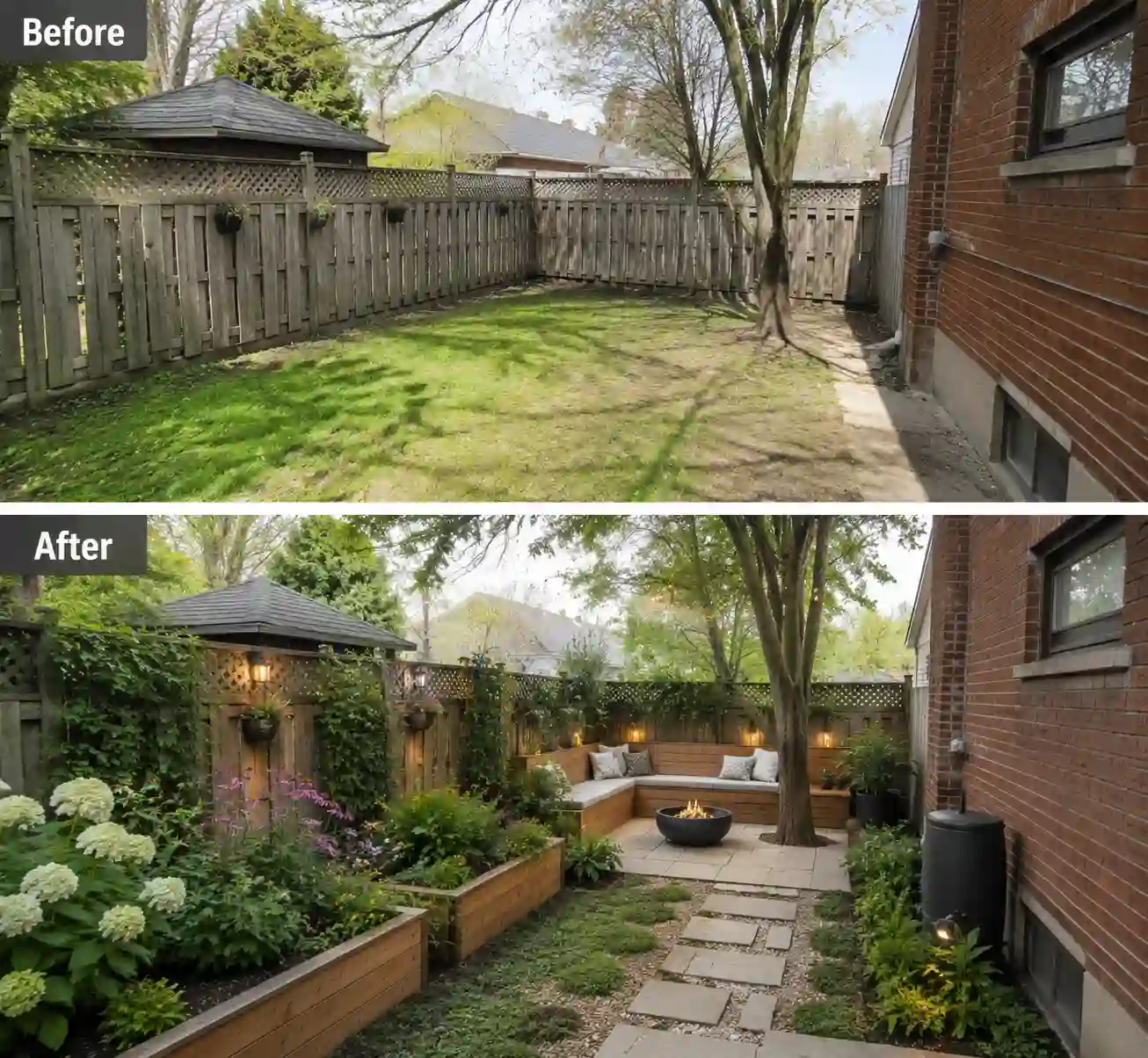
1. Small Backyard Garden Makeover
A small backyard doesn't need more space—it just needs a smarter layout. Prioritize functional zones and planting that adds depth without making the garden feel crowded.
Example Prompt
Keep the original daylight, weather, and camera angle. Redesign this small backyard with a compact patio, built-in bench seating, raised flower beds, vertical planting, and a narrow stone pathway. Create a cozy, open space that feels larger than it is.
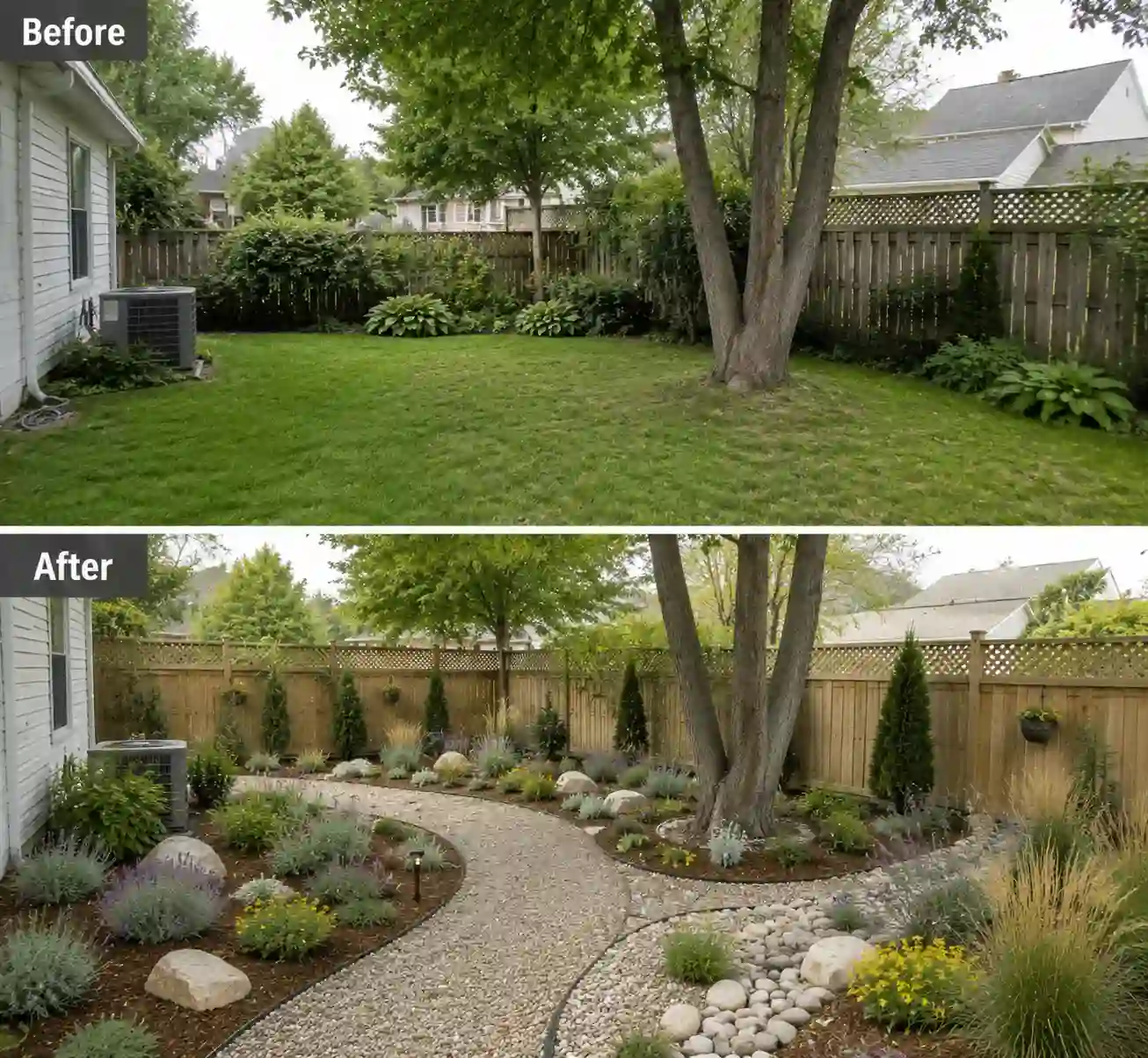
2. Low-Maintenance Garden
If you love having a garden but don't enjoy constant upkeep, focus on durable materials and plants that require less watering and pruning.
Example Prompt
Keep the original daylight, weather, and camera angle. Transform this garden into a low-maintenance landscape using gravel pathways, drought-tolerant plants, ornamental grasses, mulch, and simple planting beds. Keep the design clean, natural, and easy to maintain.
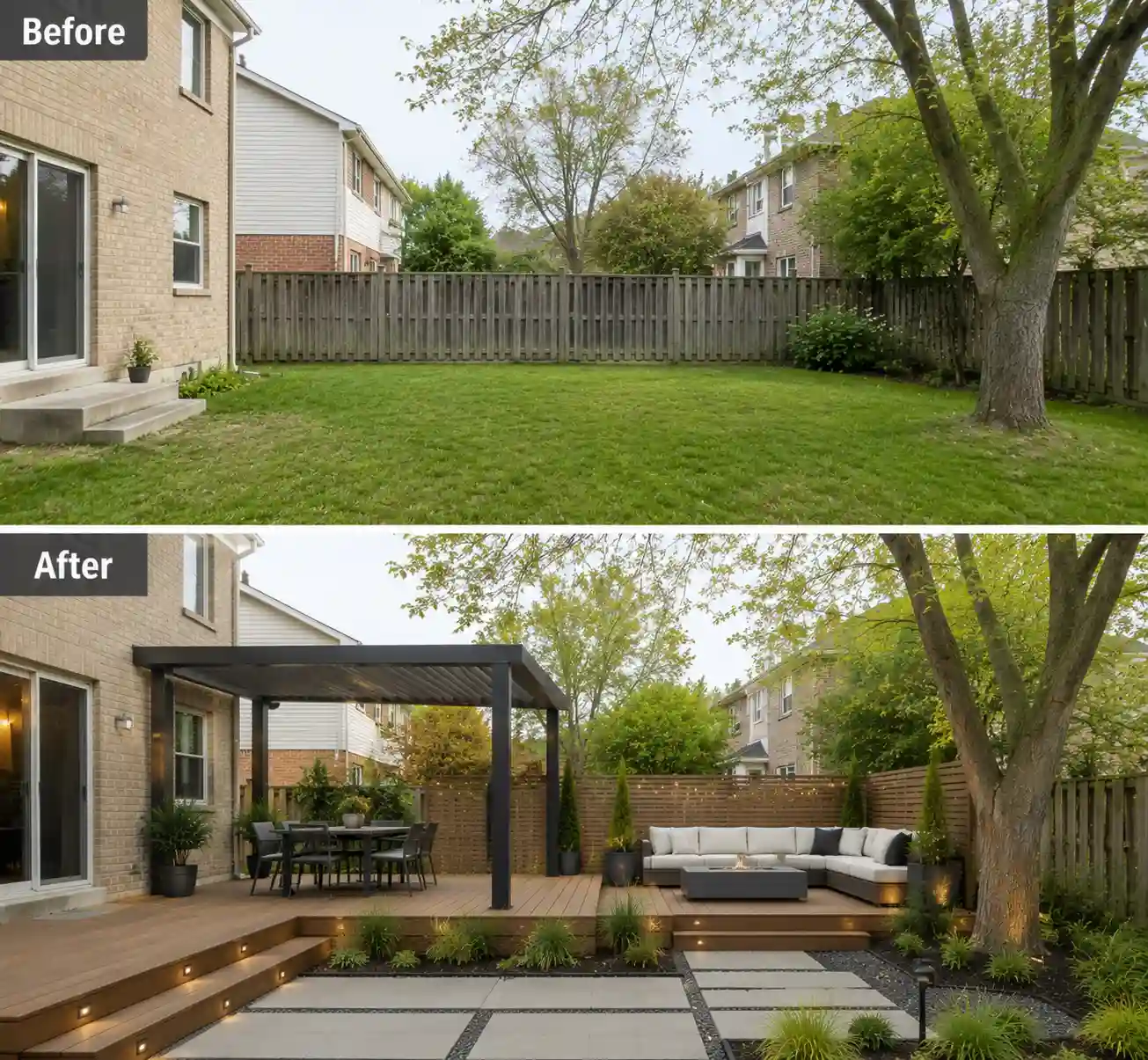
3. Modern Outdoor Living Space
A backyard can be more than a place for plants. Think of it as an outdoor extension of your home where you can relax, dine, or spend time with family.
Example Prompt
Keep the original daylight, weather, and camera angle. Convert this backyard into a modern outdoor living space with a wooden deck, pergola, outdoor dining area, comfortable lounge seating, contemporary planting, and subtle landscape lighting.
4. Japanese Zen Garden
A Zen garden isn't about adding more elements—it's about creating a calm atmosphere through simplicity, natural textures, and carefully balanced details.
Example Prompt
Keep the original daylight, weather, and camera angle. Redesign this garden into a peaceful Japanese Zen garden with stepping stones, gravel, natural rocks, bamboo, moss, a simple wooden bench, and soft, minimalist planting.
Things to Consider Before Designing Your Garden with AI
AI is a great way to explore garden ideas, but the best results usually come from combining AI suggestions with your own understanding of the space. Keeping these tips in mind can help you create designs that feel both realistic and practical.
AI Doesn't Know What's Beyond the Photo
A photo only shows what the camera can see. AI can't tell how much sunlight the area gets, whether the soil drains well, or which plants are suitable for your local climate.
Before turning a design into a real project, consider whether the suggested plants, materials, and layout will work in your garden—not just look good in a picture.
Better Prompts Lead to Better Designs
It's completely normal if your first design isn't perfect. A few small prompt adjustments can often improve the result more than rewriting everything.
For example, you can ask AI to:
The more specific your instructions are, the more useful the results tend to be.
See What's Possible Before You Start
Planning a garden doesn't have to begin with a blank page. Start with a photo of your own space, explore different design styles or customize them with your own ideas, and see what feels right before making any real changes.
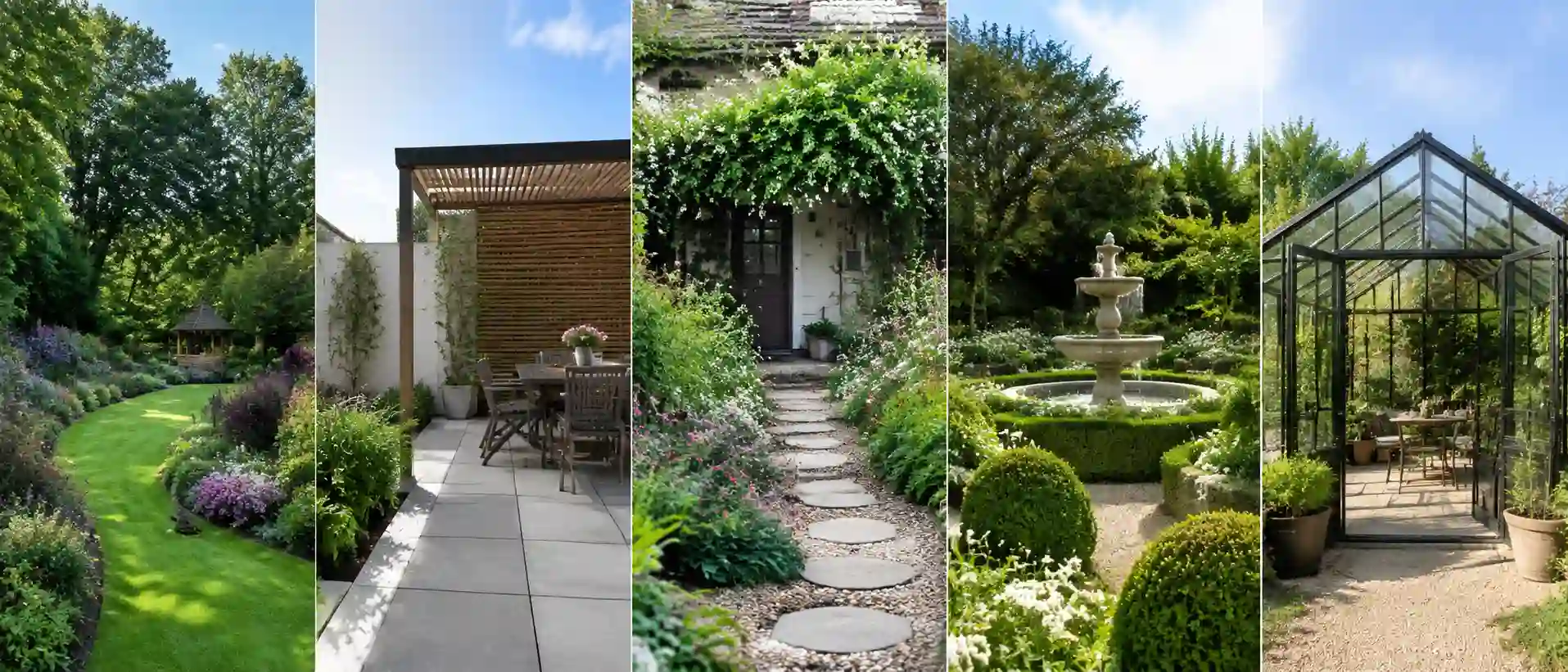
Start with a style you like, then make it your own.
Start Designing Your GardenCommon Questions
1. Can I redesign just one part of my garden instead of the whole yard?
Yes. In fact, focusing on one area often produces better results. Whether it's an empty corner, the patio, or the space around a walkway, redesigning one section at a time usually gives AI more room to generate practical ideas without changing the entire garden.
2. My garden looks different in every season. Which photo should I use?
Choose a photo that reflects the season when you plan to make changes. For example, if you're redesigning for spring planting, use a recent spring photo rather than one taken in winter. This helps you judge plant size, sunlight, and available space more accurately.
3. Can AI suggest plants that actually grow where I live?
Most AI image tools focus on visual design rather than regional planting advice. If you like a generated design, treat the plants as inspiration first, then replace them with similar varieties that are suitable for your local climate and growing conditions.
4. How many design versions should I generate before deciding?
There's no perfect number, but three to five versions is usually enough to spot patterns. You may find yourself liking the seating layout from one design, the planting from another, and the pathways from a third. Comparing a few options often leads to better decisions than trying to perfect the first result.
5. I don't have a clear design idea. Where should I start?
Start with a style rather than a detailed prompt. With Floor Plan Maker, you can upload a photo and apply ready-made garden styles first, then make small adjustments to the version you like best. It's often easier than trying to describe your ideal garden from scratch.